How to Add a README File to Your GitHub Profile

Software Engineer | Developer Advocate | Technical Writer | Content Creator
Hi guys! I trust you ally'all had a good day?
Our focus today is the fantastic unique feature for developers, designers, etc., that was added by GitHub recently. This feature allows you to showcase yourself by building and adding information about your work, portfolio, and anything else on your GitHub Profile.
I have got some favourites readme I would like to share with you before we proceed:




Now let's create something magical 🤗
Some prerequisite :
Create a GitHub account
Basic Markdown knowledge for a smooth experience
The steps are as follows:
Create a new public repository with your username and ensure you use the same case as your GitHub username.
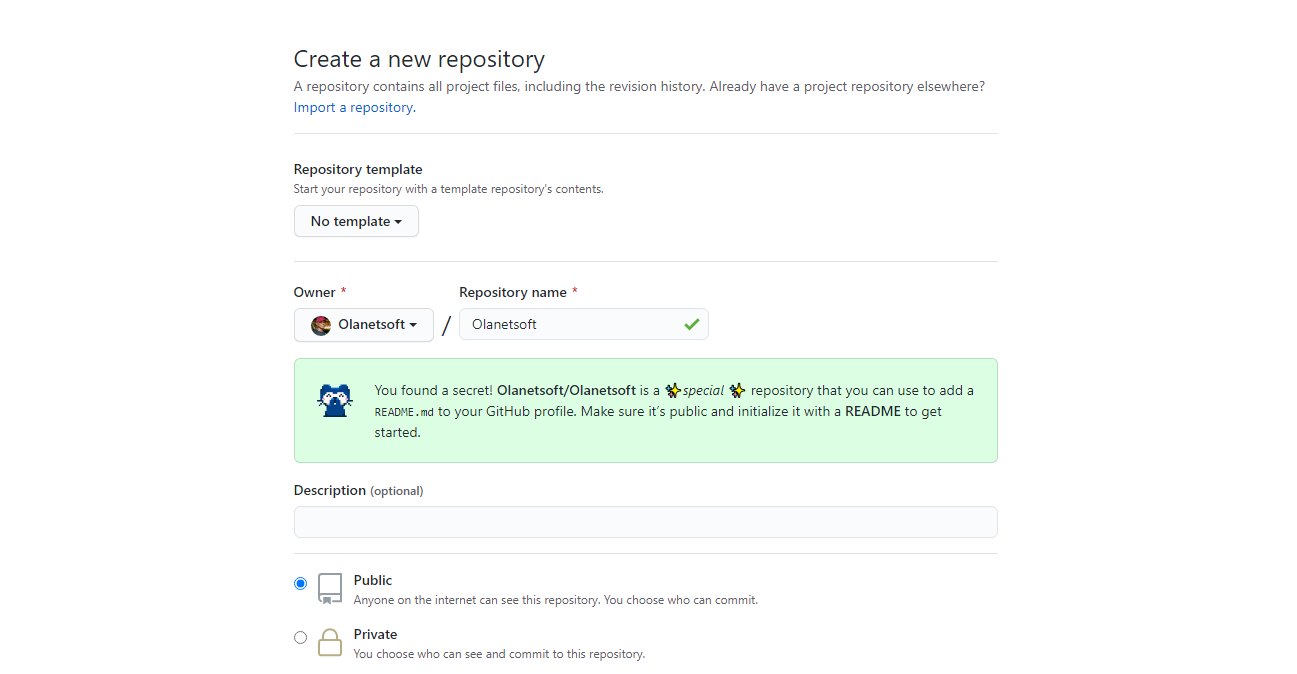
Click on the checkbox: Initialize this repository with a README file. This will create a README.md file inside your warehouse.

Now you can edit the readme to your taste. Remember, you can add images, text, lists, etc. You also get a free template from GitHub out of the box.

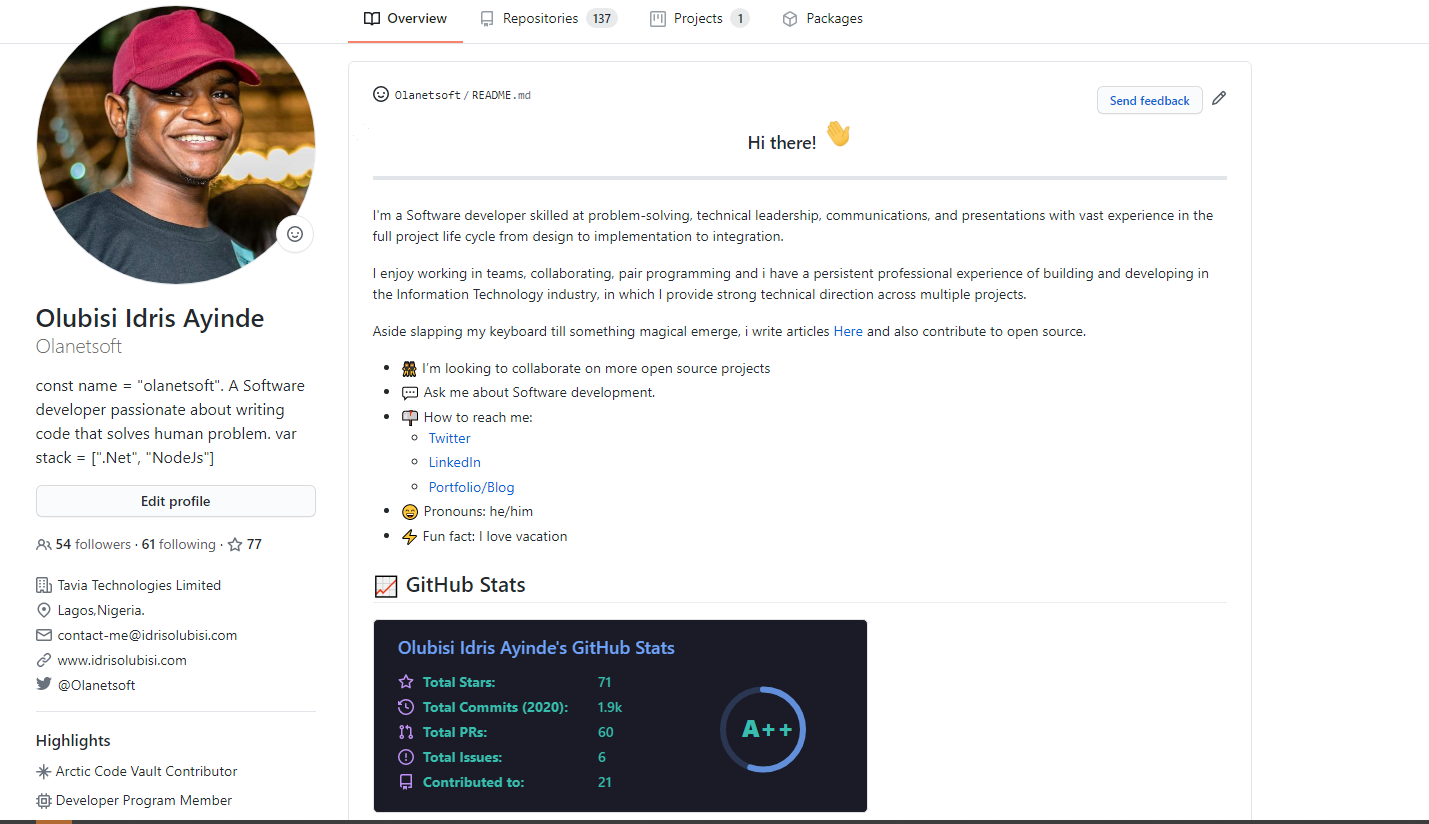
You can check out a particular 😎 repository on my Profile
Link to useful Resources
You have successfully set up your particular repository at the end of this article.
I hope you find this helpful article :)
Share a Link to your GitHub profile in the comment section; we will be glad to check it out 😉